Free
For testing the workflow and smaller streams.
$0/ month
VIEWER OFFERS10 / month
GLOBAL DROPS10 / month
Core campaign controls and live usage tracking.
Get startedDropifyBot connects Twitch interaction with Shopify discounts. Viewers can request personal offers, while broadcasters can launch Global Drops directly from chat.
!discountThe full claim flow continues below.
HOW DROPIFYBOT WORKS
DropifyBot turns Twitch interaction into a controlled Shopify discount flow. The viewer completes the claim before the personal code is created.
The streamer configures the Viewer Campaign once. When a viewer types !discount, DropifyBot prepares a claim tied to that viewer and campaign.
!discount/claimGlobal Drops are stream-wide percentage promotions triggered directly by the broadcaster and kept separate from the Viewer Campaign.
!drop 10!drop X creates an X% stream-wide promotion.
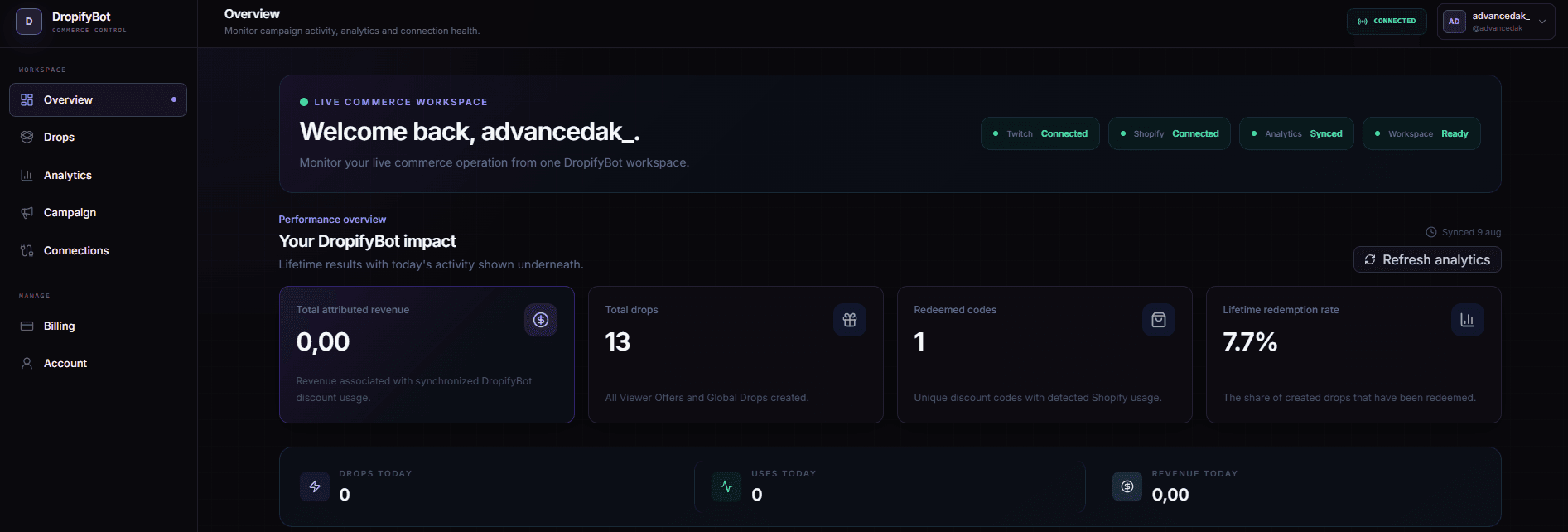
Configure your Viewer Campaign, review Viewer Offers and Global Drops, track Shopify discount activity, and manage Twitch and Shopify connections from one dashboard.
Start with the core workflow, then increase your monthly Viewer Offer and Global Drop capacity as your stream grows.
For testing the workflow and smaller streams.
Core campaign controls and live usage tracking.
Get startedFor growing streams that use DropifyBot regularly.
Higher monthly capacity with subscription management in the dashboard.
Choose ProFor high-volume streams, launches and frequent promotions.
Built for larger campaign volume and frequent Global Drops.
Choose CreatorAnswers about setup, commands, claims, Shopify, and what happens during a live stream.
DropifyBot creates a personal claim tied to the viewer and the active Viewer Campaign. The viewer opens /claim, verifies with Twitch if needed, claims the offer, and then the personal Shopify discount code is created.
Only the broadcaster can trigger a Global Drop. A command like !drop 10 creates a 10% stream-wide Shopify promotion.
No. Viewer Campaign claims are tied to the viewer, and the personal discount code is created after that viewer completes the claim flow.
No. DropifyBot is hosted. You connect Twitch and Shopify through the dashboard and manage campaigns, drops, analytics, connections and billing from the browser.
The dashboard is designed around discount activity, redemptions and attributed revenue without surfacing Shopify customer identities or complete order details.
Your Shopify store and configured campaign remain intact. When your stream is active again, DropifyBot can continue handling commands according to your saved campaign settings.
Connect Twitch and Shopify, configure your Viewer Campaign, and let DropifyBot handle the route from viewer interaction to Shopify discount.